Sharing a gateway
Invite collaborators with view-only or edit access.
Last updated October 1, 2026
You can invite collaborators to any gateway you own. They get access via email invitation — no separate setup required (they just need a Portarus account).
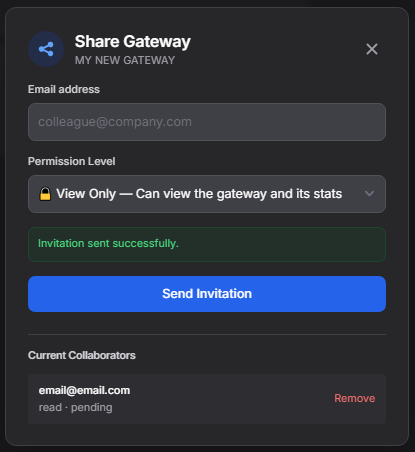
Permission levels
| Level | What they can do |
|---|---|
| View only (read) | See the gateway's configuration, insights and quarantine. Cannot edit settings or replay messages. |
| Can edit (write) | Full access: edit configuration, manage filters, replay quarantined messages, and manage keyword routes. |
How it works
- Open the gateway in the dashboard and click Share.
- Enter the collaborator's email and choose a permission level.
- They receive an email invitation (valid for 72 hours).
- Once accepted, the shared gateway appears in their dashboard.
- You can revoke access at any time from the collaborator list.
Max 10 collaborators per gateway. Only the owner can share or revoke.