Insights
Live, Traffic, Costs, Flow, Quarantine and Logs — what each metric means.
Last updated October 1, 2026
The Insights section of your dashboard has several tabs. Here is what each metric means and what to look for.
Live tab

| Metric | Meaning |
|---|---|
| Messages | Total messages received today. Delta shows % change vs yesterday. |
| Success | Messages that passed all filters and were delivered. Delta vs yesterday. |
| Failed | Messages blocked by filters or rejected. Higher than expected? Check your filter configuration or look for spam. |
| Unification | Batches flushed today, with average messages per batch. |
| Avg. Latency | Pipeline processing time in ms. Under 150ms is ideal, 150–400ms is normal, above 400ms may indicate infrastructure degradation. |
Traffic tab
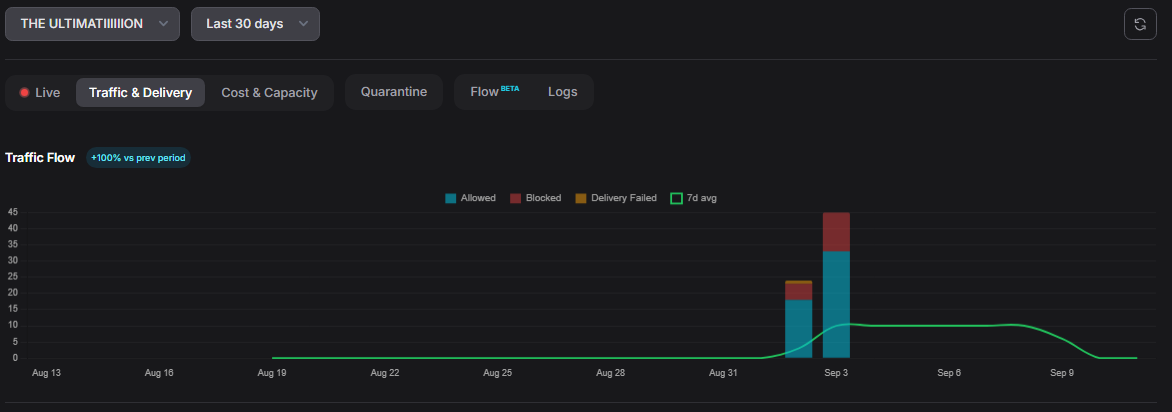
Daily stacked bar chart (Allowed / Blocked / Delivery Failed) over your selected range (7, 30, or 90 days). Filter by gateway. Use this to spot trends and spikes.
Costs tab
Estimates how many tokens were saved by the filters — blocked messages that your LLM never had to process. Set your cost-per-1K-tokens to see dollar savings.
Flow tab
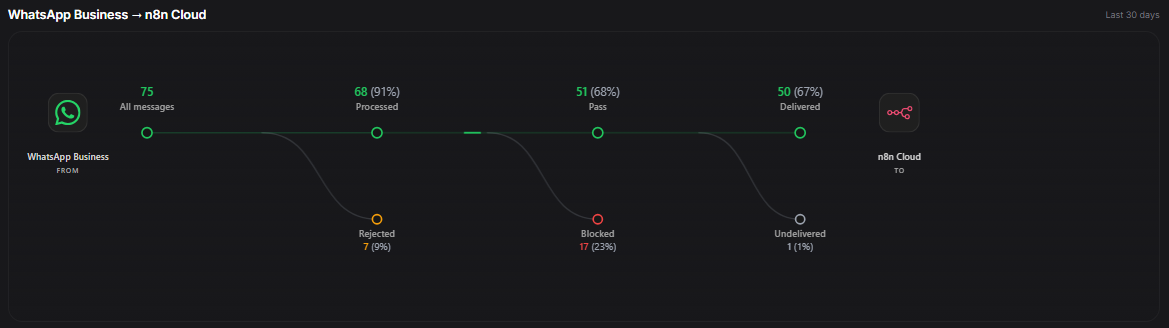
A visual funnel from All Messages → Processed → Pass → Delivered, with branches for Rejected, Blocked, and Undelivered. Each node shows a health score:
| Metric | Healthy | Warning | Needs revision |
|---|---|---|---|
| Processed | ≥90% | 70–89% | <70% |
| Pass | ≥80% | 60–79% | <60% |
| Delivered | ≥95% | 85–94% | <85% |
| Rejected | ≤5% | 6–15% | >15% |
| Blocked | ≤20% | 21–40% | >40% |
| Undelivered | ≤5% | 6–15% | >15% |
Quarantine tab
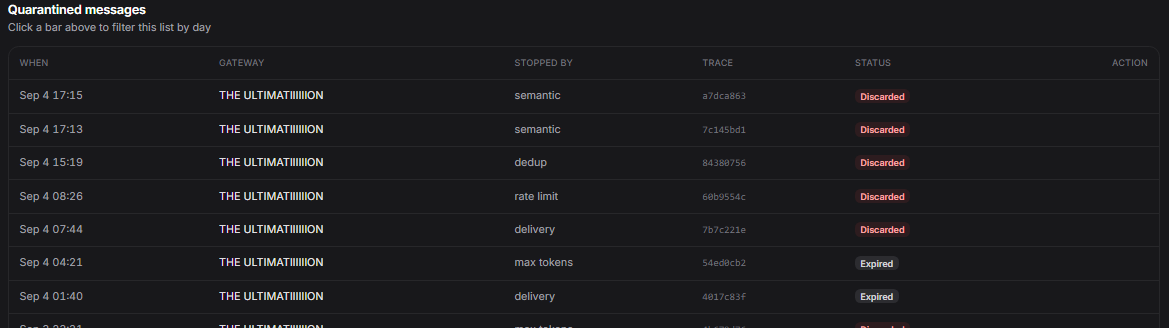
Lists blocked messages with timestamps, the filter that stopped them, and a Replay button to send them to your endpoint. Messages expire based on your plan's retention period.
Logs tab
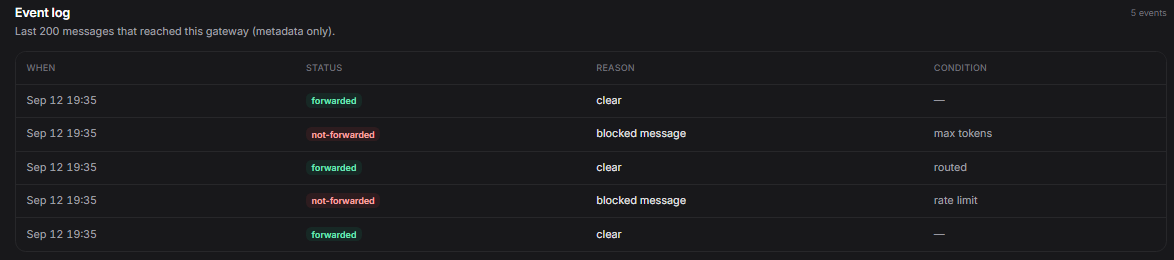
Live event feed showing the last 200 events across all your gateways. Each entry shows the decision (Allowed, Blocked, Quota Exceeded, etc.), the trace id, and the timestamp.