Token Floods That Blow Your AI Agent's Budget
One pasted log can cost as much as fifty messages.

- One pasted log can cost as much as 50× an average message.
- Without a cap, per-message cost is set by your least-disciplined user.
- Count and cap tokens before the model and the cost stays bounded.
The problem
- A token flood is one oversized payload — a pasted log, a document, a base64 image.
- LLMs bill per token, so a message 50× larger costs 50× more — with no warning.
- It also overflows the context window: silent truncation or a hard failure.
The solution
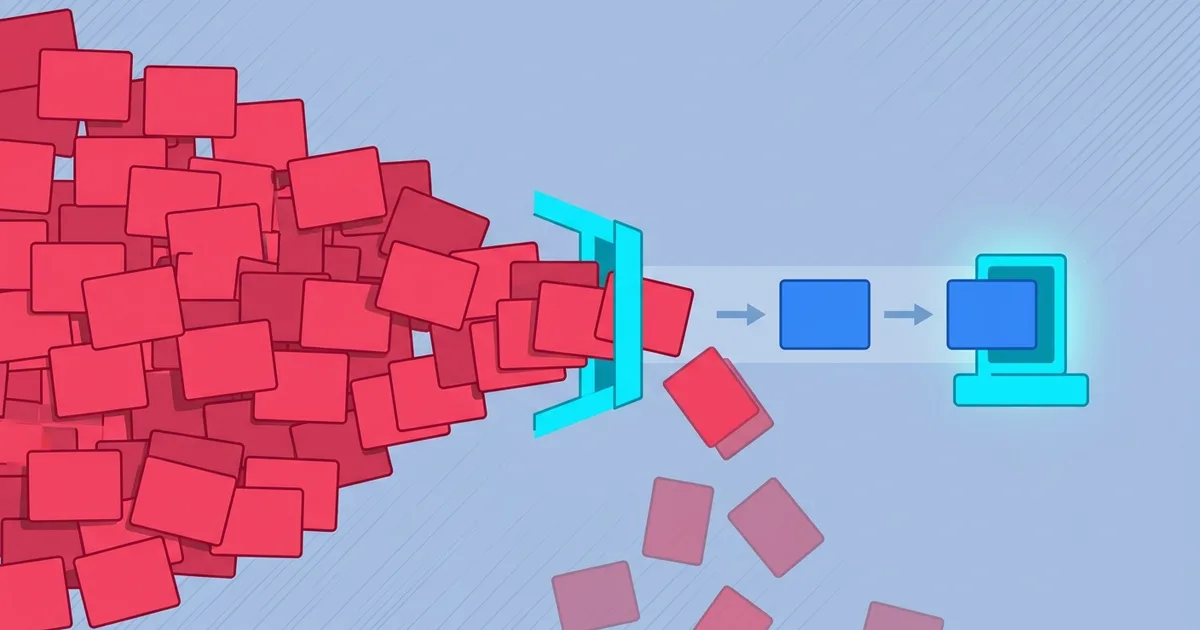
Measure every message on arrival and enforce a per-message budget, so no payload reaches the LLM at full price.
- Count tokens on arrival.
- Compare against the per-message cap.
- Act on anything over: reject, trim to the limit, or route elsewhere.
The critical word is before — counting after the model has run saves nothing; you've already paid.
Result: per-message cost stays bounded and the context window stays safe.
One user pastes a 50,000-token server log into your chat, and that single message costs as much as fifty normal ones. A token flood is not high traffic — it’s one oversized payload, and it can wreck both your budget and your agent’s answer in a single request. Here is how it works and the two ways to cap it.
What a token flood is
A pasted document, a full log file, a base64-encoded image dropped into a text field. LLMs bill per token, so cost scales linearly with size: a message fifty times larger than average costs fifty times more. Unlike a traffic spike, a flood doesn’t announce itself as a burst — it’s a single request that looks normal in your logs until you see the token count attached to it.
Why floods are worse than they look
The bill is only the first problem. A flood attacks the context window — the fixed budget of tokens a model can hold at once. Push past it and either the payload is silently truncated (the model answers on the half it saw, and nobody knows the input was incomplete) or the request is a hard failure (your agent errors mid-conversation). And without a size limit, your cost per message is set by your least-disciplined user — forecasting becomes impossible.
| Scenario | Per-message cost | Predictable? |
|---|---|---|
| No cap | Set by the largest payload | No |
| Token budget before the LLM | Bounded by the cap | Yes |
The manual fix (Option 1)
You can measure and cap tokens in your own handler, before the model call.
Fix 1: tokenize on arrival
Count tokens using the same tokenizer family as your model — a cheap local operation compared to a model call.
On a gateway, every payload is counted in one place, no per-workflow token math.
Fix 2: decide reject, trim, or route
Act on anything over the cap: reject when completeness matters (a legal question on a truncated document is dangerous), trim when a partial answer is acceptable, or route the oversized payload to a summarization step first.
On a gateway, the cap runs in front of the model by default, on every channel.
The catch: per-workflow token math, everywhere
Tokenizing correctly, keeping the tokenizer in sync with your model, and enforcing the cap at every entry point is real work repeated per workflow — and easy to forget on the one path that later takes the flood.
Place a gateway layer (Option 2) — faster
A message gateway counts and caps every payload in one place, in front of the agent, with the action (reject / trim / route) a setting. It runs in the same pipeline as rate limiting — both are defenses against input you didn’t size for — covered in rate limiting AI agents.
Option 1 (DIY) vs Option 2 (gateway)
| Do it yourself | Use a gateway | |
|---|---|---|
| Count before the model | ✓If you wire it in | ✓By default |
| Tokenizer kept in sync | ~Yours to maintain | ✓Handled |
| Reject / trim / route | ~Code per path | ✓A setting |
| Every entry point | ✕Repeat the math each time | ✓One layer, all channels |
| Context window protected | ✓If the cap runs | ✓Always, before the LLM |
| Control of internals | ✓Full | ~Abstracted away |
Token budgeting caps how large a message can be; rate limiting caps how many. You want both. It’s one piece of message quality for AI agents.
If option 2 sounds more like you, here’s the short version of how to set it up: cap oversized payloads before the LLM →.
Either way — go make one pasted log stop costing you fifty.
Thanks for reading. 👋
Orlando. -
Orlando Quijada
Technologist with 15+ years of experience. Developer, SaaS tester, and AI collaboration & optimization specialist. Currently contributing at portarus.com.
Written on