Quick start
Create your first gateway and route a message in five minutes.
Last updated October 1, 2026
From zero to a working gateway in five minutes.
The five steps
- Create an account at portarus.com.
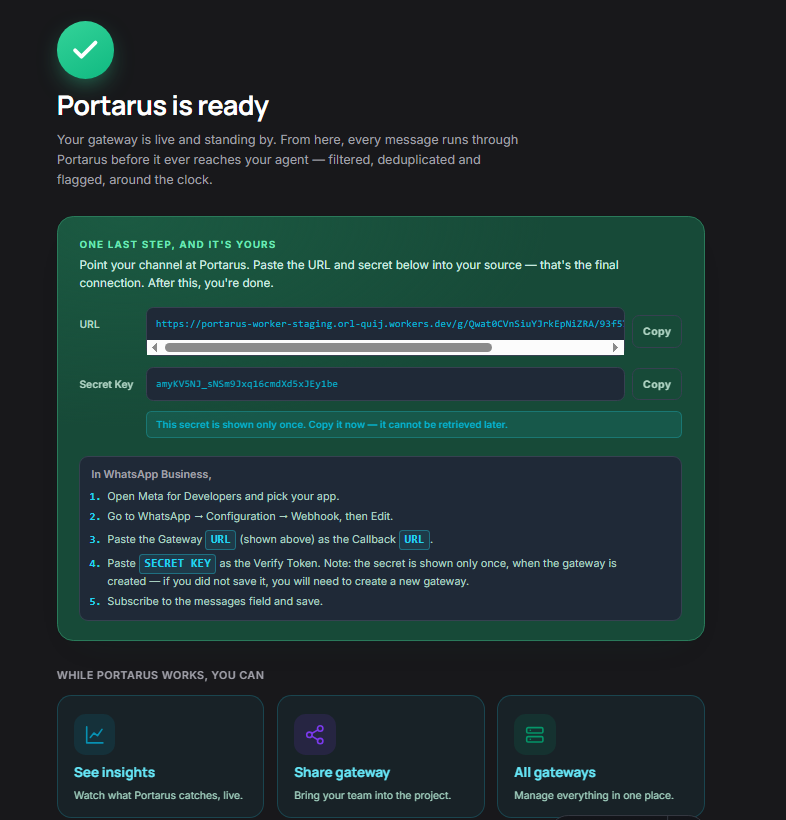
- Create a gateway — give it a name, pick your source channel (WhatsApp, Telegram, custom…), destination platform (n8n, Make, custom…), and enter the target URL where your agent listens.
- Copy the Gateway URL shown after creation. Format:
gateway.portarus.com/g/{slug}. - Replace the webhook URL in your message source with the Gateway URL. That's the only change.
- Done. Your agent receives filtered messages with a
_portarusenvelope attached to every payload.
Test it with curl
curl -X POST https://gateway.portarus.com/g/{your-slug} \
  -H "Content-Type: application/json" \
  -H "X-Gateway-Secret: {your-secret}" \
  -d '{"user_id": "user123", "message": "Hello"}'
The gateway responds 202 Accepted immediately. Your agent receives the
filtered payload asynchronously.
Next: read How it works to understand what happens between the 202 and delivery.